 Français
 English
Cancel your hosting.
Cancellation is done online, in two clicks. Your website stays online until the end of the paid period, and you can change your mind until the day before the deletion.
1. Request the cancellation
In your client area, open Hosting, then the hosting concerned. The Cancel your contract link is below the plan block.
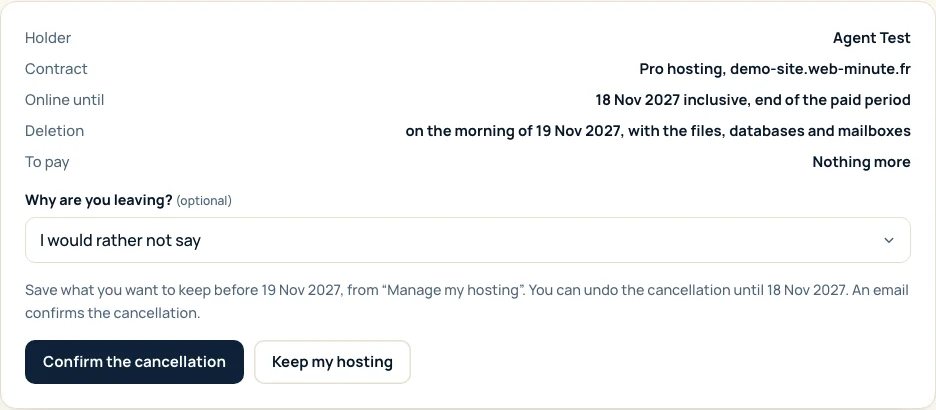
Check the dates, give the reason for leaving if you wish, then click Confirm the cancellation. An email confirms the cancellation and its dates. There is nothing more to pay: a renewal invoice already issued is cancelled.
2. Retrieve your data
On the morning of the deletion date, the hosting is deleted with its files, databases and mailboxes. Before that date, retrieve what you want to keep from the advanced panel (Open the advanced panel button on the hosting page).
Your domain names are not cancelled with the hosting. A domain that came free with it stays in your name until its expiry date, then its renewal invoice reaches you one month before, at its extension's price.
Undo the cancellation

Changed your mind? Click Undo the cancellation on this banner, until the day before the deletion. Your hosting carries on as before, and an email confirms that the cancellation is undone.