 Français
 English
Customise the loading page.
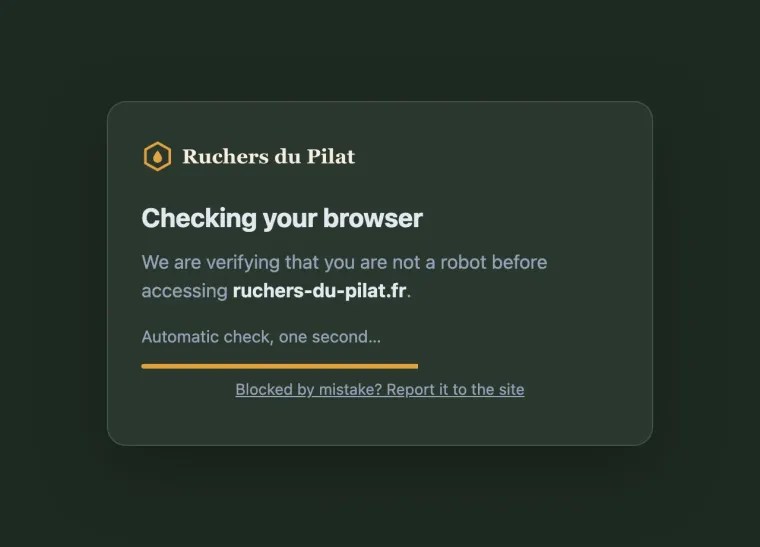
Our DDoS protection sometimes checks that a visitor is not a robot before opening your website to them, for instance during an attack. For those few seconds, they see a loading page. With Pro and Agence, it carries your logo and colours; with Agence, each site can also show its own name on it.
1. Your logo and colours (Pro and Agence)
In your client area, open Hosting, then click the name of your hosting. The Loading page card shows the page as your visitors will see it.
Choose your logo image, in PNG, JPEG, WebP or SVG, 64 KB at most, then the main colour and the background colour, from the colour picker or by their code. The preview follows each change. Save applies the page to every site of the hosting; Go back to the Web-Minute page removes your settings.
2. The name of each site (Agence)
With Agence, the page can show your client's name instead of the Web-Minute logo, site by site. Click the name of the site in Hosting, then Name on the loading page. Type the name, check the preview, then click Save. Remove the name brings back the shared page of the hosting.
FAQ
Do my visitors see this page on every visit?
No. It only appears when the protection needs to check a connection, and lasts a few seconds. A checked visitor then browses your website normally.
I have the Start plan: can I customise it?
With Start, the loading page is the Web-Minute one. You can move up to Pro at any time from your client area, on the page of your hosting.
A question that is not here: write to us from your client area.