 Français
 English
Create a mailbox.
An address such as [email protected] takes a minute to create, on your site's domain. The Start plan includes 10 mailboxes, Pro 100 mailboxes; Agence has no limit on their number.
1. Open the site's screen
In your client area, open Hosting, click the site's name, then Create a mailbox.
2. Choose the address and the password
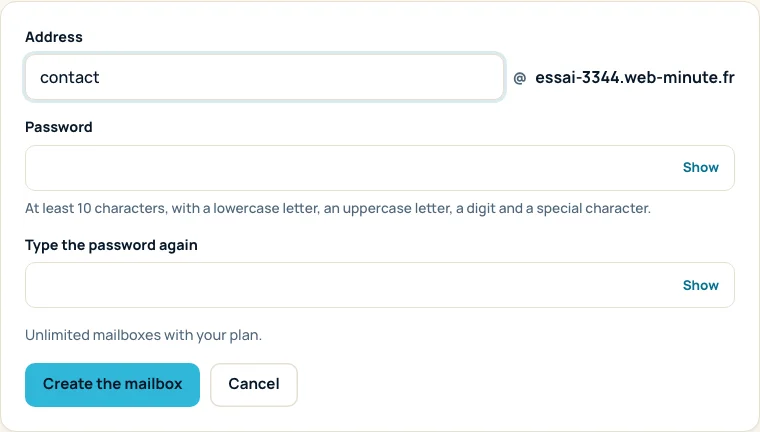
- Address: the part before the @, for example contact, billing or your first name, in letters, digits, dots or hyphens. If the site has several domains, pick one on the right.
- Password: at least 10 characters, with a lowercase letter, an uppercase letter, a digit and a special character, typed twice.
Click Create the mailbox: it shows up right away in the Email list of the site's screen. To change its password later: Change a password, on the same screen.
3. Read and send your email
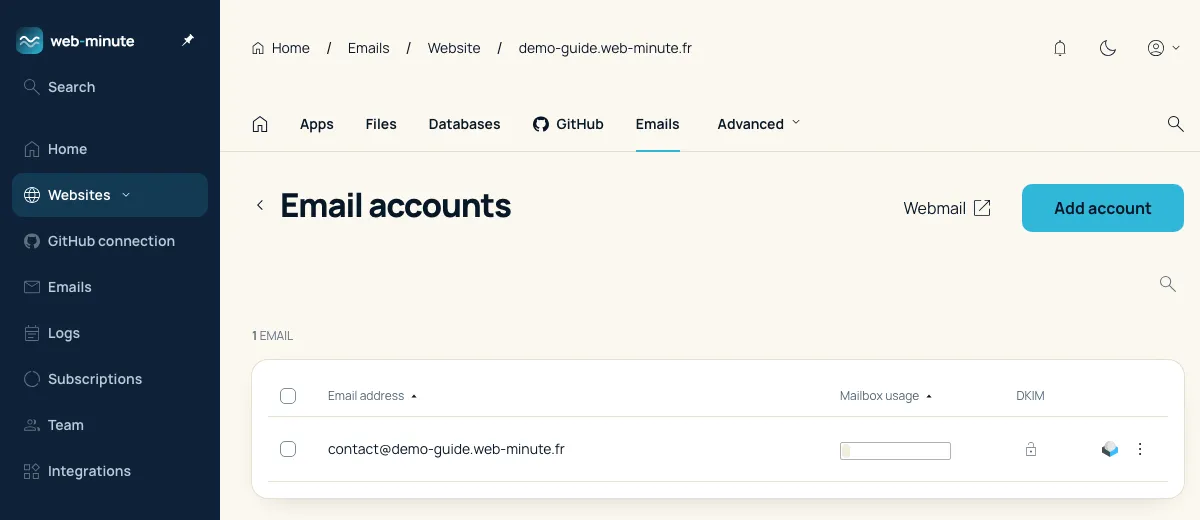
On the site's screen, the Webmail button opens your messages in the browser. For Outlook, Thunderbird or your phone, the settings to copy are in Advanced settings: Emails tab, three-dot menu at the end of the mailbox row, then Manage and the Email client settings section. The same screen sets the mailbox size or an out-of-office message.
Your domain is still with another registrar? Create your mailboxes here before you point the domain: incoming messages will find mailboxes that already exist.
Aliases, forwarders and deletion
On the website screen, in the Email card, Aliases or deletion under each mailbox adds aliases (other addresses on the domain, such as hello@ or billing@, that arrive in the same mailbox) or deletes the mailbox and its messages. The Forwarder link creates an address without a mailbox that forwards its messages to another address: it does not count towards the mailboxes of your plan.
Mailboxes without a website
Your domain is registered with us and you don't need a website? Just take mailboxes: an address such as [email protected], its webmail and the settings for your phone.
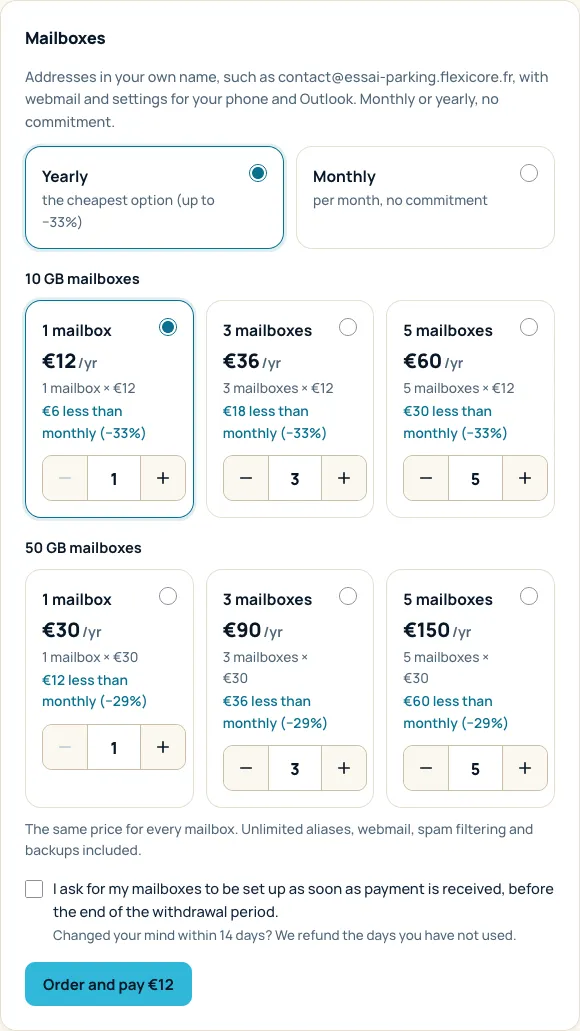
In your client area, open Domain names and click the domain. The Mailboxes card offers 1, 3 or 5 mailboxes of 10 GB or 50 GB each, monthly or yearly (yearly is cheaper). The − and + buttons on each plan change the number of mailboxes, and the total updates before you pay. You can also add them when you order the domain.
The mailboxes are ready a few minutes after payment, and we email you. Then open Create an address on the same card: the first part of the address, then a password of at least 10 characters with a lowercase letter, an uppercase letter, a digit and a special character. The Webmail button opens the mailbox in your browser, and Settings for your phone, Outlook or Thunderbird gives the servers to copy. The page Your email on your phone and in Outlook goes through them device by device.
Under each address, Password, aliases or deletion changes the password or adds aliases: other addresses of the domain, such as hello@ or billing@, that arrive in the same mailbox, with no limit. Add mailboxes is charged pro rata until the renewal date. Cancel the mailboxes keeps them open until the renewal date, then deletes them with their messages; you can change your mind until then.
The mailboxes work with our nameservers. If you change them, copy the MX, SPF, DKIM and DMARC records from the domain's DNS zone to your new provider. To add a website on this domain later, write to us: we move the mailboxes with you.
For a domain registered with another provider, you can get mailboxes without transferring it: mailboxes on a domain registered elsewhere gives the steps.