 Français
 English
Point a domain name.
Your domain was bought elsewhere, for example from OVHcloud, Gandi, IONOS or LWS: you keep it with that registrar and only replace its nameservers with ours. Your website, your email and the DNS zone are then managed from your hosting space.
No domain yet? Register one in your client area, under Domain names: it already points to our nameservers. Linked to your hosting when you order it, it becomes your website's address as soon as it is registered. With Pro and Agence paid yearly, a .fr, .com, .eu, .be, .net or .org is included.
1. Create the mailboxes first
Do you have addresses on this domain? Create them with us before touching the nameservers: messages arriving during the switch will find mailboxes that already exist.
2. Note the nameservers
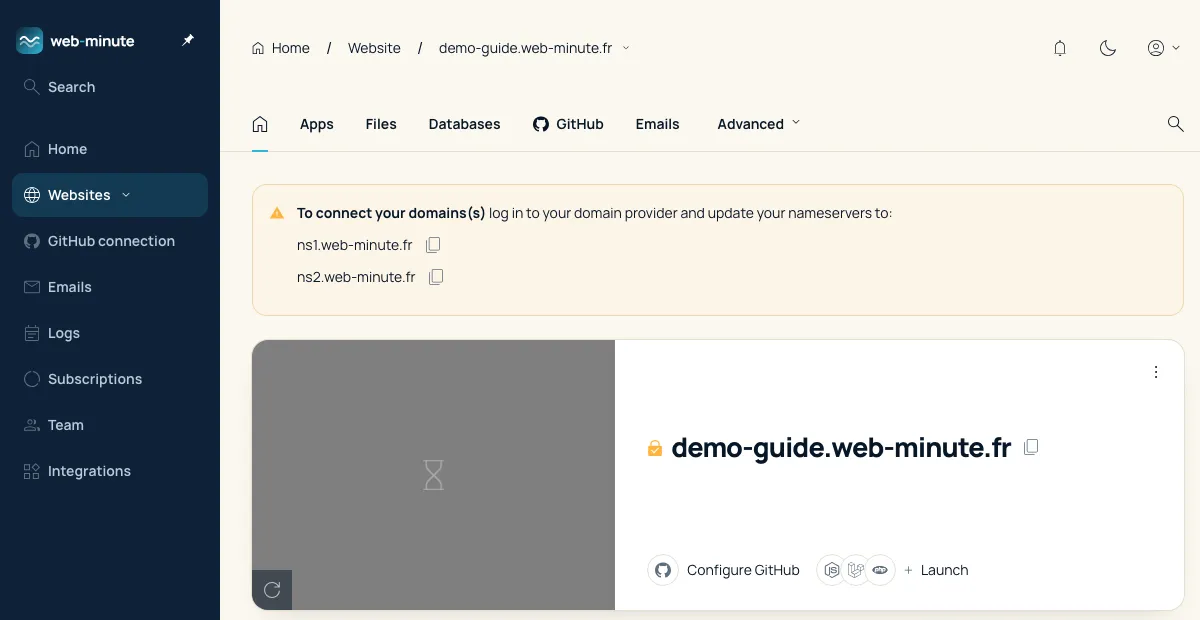
In your client area, open Hosting, Manage my hosting, then Open the advanced panel, and pick the site under Websites. A banner at the top of the page gives the two servers to enter, with a button to copy each one:
3. Enter them at your registrar
Sign in at the domain's registrar, open the nameserver section (often called "DNS servers" or "Nameservers"), choose custom nameservers, and replace the current ones with ns1.web-minute.fr and ns2.web-minute.fr. Save.
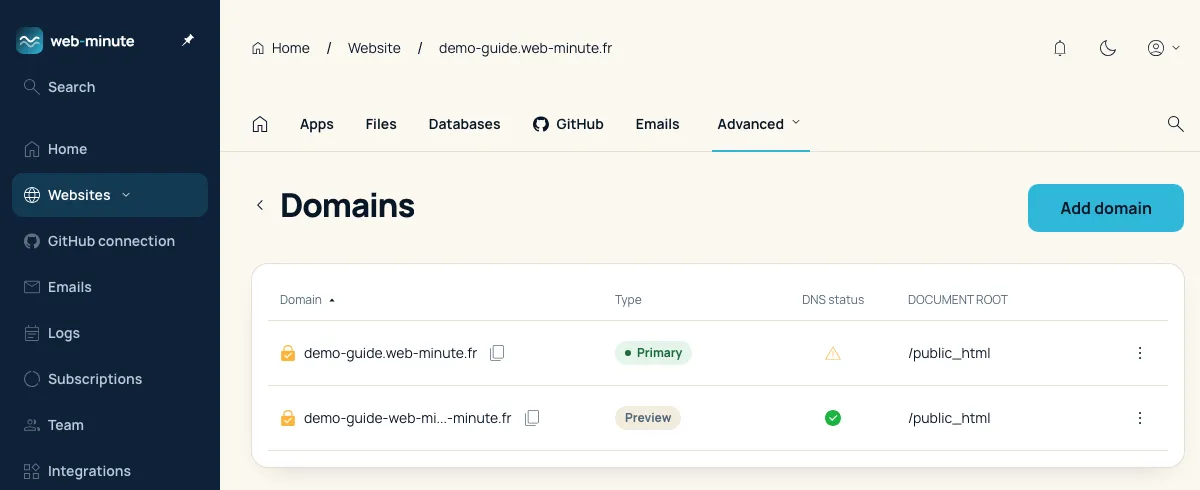
The change usually shows within a few hours, sometimes up to 48 hours depending on the registrar. Meanwhile, the site's Domains tab marks the domain with an orange triangle in the DNS status column:
Keeping DNS at the registrar
It can be done. In your client area, open your hosting: the Going live block, My DNS tab, lists the records to create at your registrar, first the website's and then the email ones, with a button to copy each value. Is your domain on Cloudflare? The Cloudflare tab gives the same records, with the proxy setting for each one.
Meanwhile: your free address
Every website in your hosting gets its own free .web-m.net address, for example dupont-bakery.web-m.net, with its HTTPS certificate. Choose it in your client area: Hosting, your site, then Free address in the site status. It goes live within minutes and stays yours as long as the hosting is active, even once your domain is connected.
No domain yet when you order? At the Your website step, choose Free address, domain later (selected by default) and type the name of your free address: your website starts right on it. With the Pro and Agence plans paid yearly, the free domain is then registered from Domain names, once you have chosen it. As soon as it is registered, it becomes your website's main address on its own, and the free address keeps working.
For a second website, open your hosting and click Add a site below the list of websites: type its free address, or your domain if you already have one. The website is created within minutes, up to your plan's website limit (3 for Start, 20 for Pro, 50 for Agence).
It only shows your website: no mailbox on this address, and the name cannot be changed once chosen. Brand names and words used in scams (bank, login…) are refused.